Technical Skills
HTML, CSS, JavaScript, Tailwind CSS, Brand Design
Tools
Figma, Visual Studio Code, Chrome DevTools, Illustrator, Github, Django
Timeline
June - Sept 2026
Members
Sam McGarry
Overview
Swingers Golf Sim is an indoor golf simulator based in the Sunshine Coast. My job was to design a multi page website, and create the frontend for all the required pages. This included a homepage, lessons page, rates & membership page, contact page, waivers page, and the design for login and signup pages. I worked in collaboration with my friend Sam so that we could get a fully functional website working with a booking system and account management.
Project Goal
My client required a website that showcased, two main points about their new business. First, It was extremely important their branding reflected the locality of the business. In a small town on the coast local is essential to be successful. Secondly, it was important to cater to older retirees. On the Sunshine Coast there is a high population of retired people to appeal to. This design and process had to be finished by the end of August to prepare for their opening.
First Ideas
Beginning to craft an online space based from a logo that then can be extended into a website brand and design.


Heading1 - Open Sans Bold
SubHeading - Open Sans Italic
The first logo iteration and style choices I began with
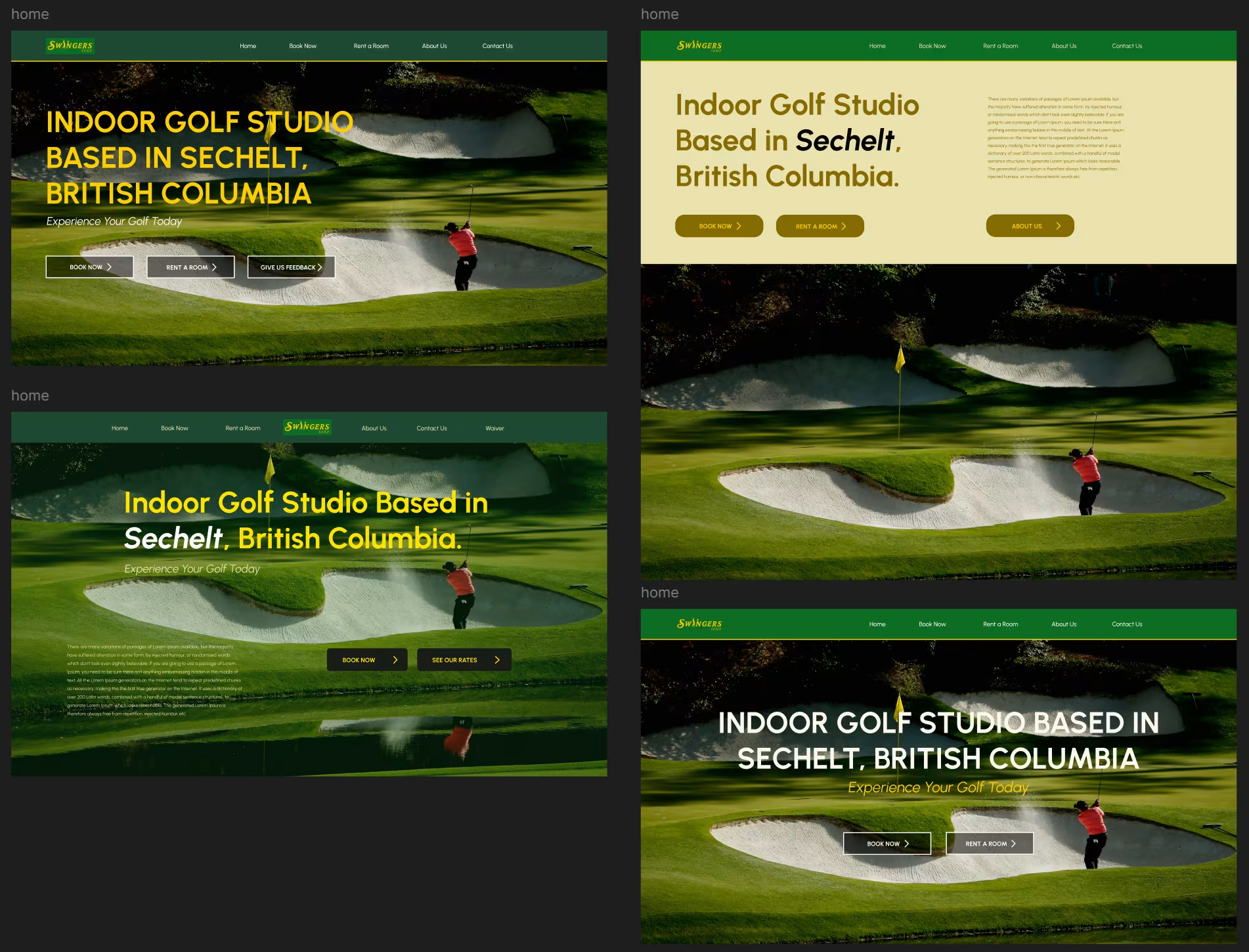
First Design Mockups in Figma
Refinement
After being provided requirements regarding colour I worked to create mockups of different landing pages. Because of my time constraint and estimation it would take me to code I didn’t explore as many options as I would of liked to.
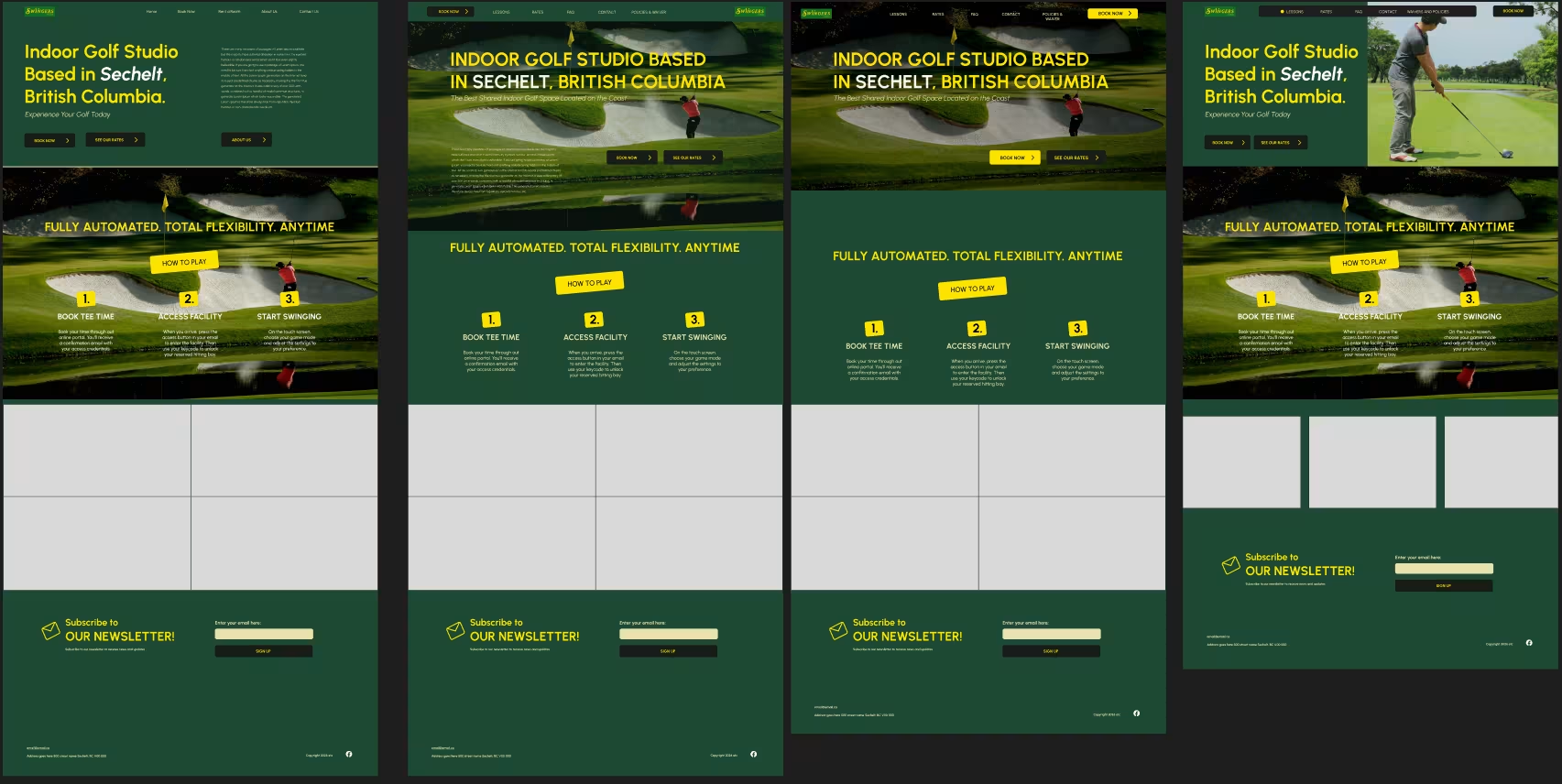
Refined Homepage Mockups
From here I started to refine just a landing page to understand how the rest of the website was going to look and function. I researched how other indoor golf websites presented themselves.
After discussing with the client we both came to an agreement to move ahead with the fourth homepage refinement. It aligned most with the goal of displaying locality. I achieved a local professional feeling by having semi-rounded edges, sans-serif fonts and simple animations.
Creating the Prototype
Figma Prototype Walkthrough
On Some of the mobile pages I had to check my designs and go back multiple times so that text and features were straightforward for an older audience who might have issues reading or interacting with the system.
Design into Web Prototyping
While designing the individual pages I ran into an issue where I was missing certain information to be able to create a layout for what needed to be presented. I began to transfer my designs into the web framework to stay ahead of the deadline.
At this point I was presented with a learning opportunity as the website was using Django as it’s framework. As I was used to just using raw HTML and CSS I adapted to combining using Tailwind CSS and regular CSS to implement my designs.
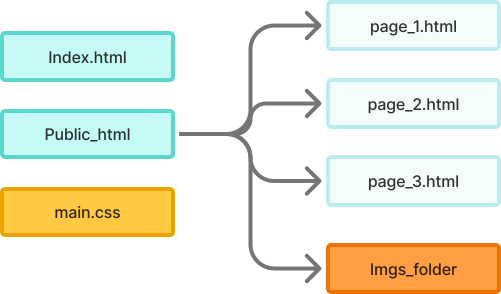
Structure I previously worked with
Django Template Structure
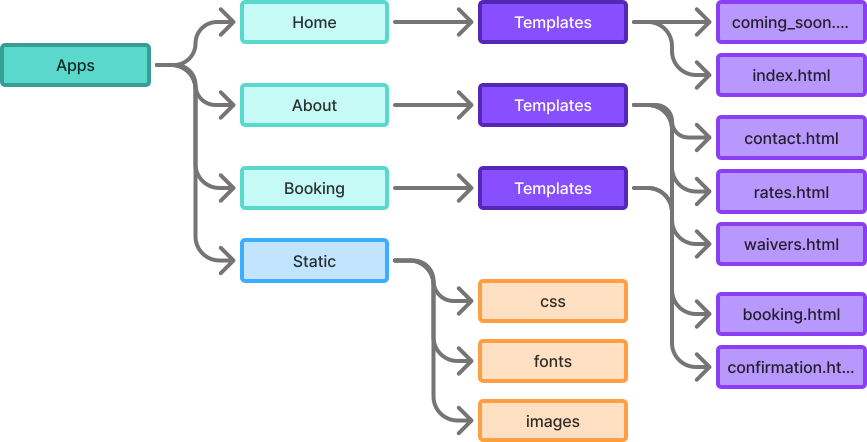
As Django uses a template system for implementing html pages I faced some challenges adjusting how the pages should be implemented and connected.
What I Learned
Communication is key
In the future I want to strive to take initiative to reach out and follow up. Some troubles that I encountered while working for this client I believe could have been solved with stronger communication from both parties.
Everything always takes longer than you think
Because I was unfamiliar with Django, it’s template system, and it was first time using Tailwind, at the phase where I was writing my CSS and HTML, I created unrealistic expectations of myself. It’s important to factor unpredictability into your overall timeline. I hope to be more realistic with myself on future projects.